
Free YouTube Engagement Calculator


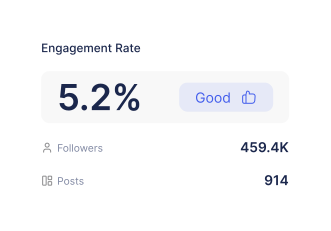
YouTube Engagement Rate Benchmarks by Channel Size in 2026
How to Use Scrumball's YouTube Engagement Calculator?
Enter YouTube Channel or Video Information
Select the YouTube ER Calculation Settings
Review and Assess Your ER Results
How Do We Calculate YouTube Engagement Rate?
Our YouTube engagement rate calculator uses standard formulas that give you accurate performance insights for any YouTube video/channel. Understanding how to calculate engagement rate properly helps you make better influencer marketing decisions and avoid partnering with creators who have inflated metrics.
The YouTube engagement rate formulas we are using:
- ER by Views: (Likes + Comments + Shares) ÷ Total Views × 100
- ER by Subscribers: (Likes + Comments + Shares) ÷ Subscriber Count × 100
What we count:
- Likes and comments (primary engagement signals)
- Shares when publicly available
- Only public videos with visible engagement data
What We Exclude:
- Private or unlisted videos
- Channels with hidden like counts
- Deprecated dislike data (no longer publicly accessible)
Here are some YouTube engagement rate calculation examples for better understanding:
Example 1: Tech Review Channel
A tech reviewer's latest video gets 3,200 likes + 180 comments + 95 shares = 3,475 total engagements
- Video views: 220,000 and channel subscribers: 85,000
- ER by Views: (3,475 ÷ 220,000) × 100 = 1.58%
- ER by Subscribers: (3,475 ÷ 85,000) × 100 = 4.09%
Example 2: Gaming Channel Average (5 Videos)
5 recent gaming videos with 12,500 total likes + 850 comments + 320 shares = 13,670 engagements
- Combined views: 950,000 | Subscribers: 120,000
- Average ER by Views: (13,670 ÷ 5) ÷ (950,000 ÷ 5) × 100 = 1.44%
- Average ER by Subscribers: (13,670 ÷ 5) ÷ 120,000 × 100 = 2.28%
These two calculation methods help you understand both content performance (views-based) and audience loyalty (subscriber-based) before committing to any YouTube influencer partnership.
What Makes Scrumball’s YouTube Engagement Rate Calculator Stand Out?
Most free engagement rate calculators provide basic numbers without much context or adjustment flexibility. Scrumball’s free-to-use YouTube engagement calculator offers advanced analysis settings that help you make smarter influencer marketing decisions with complete transparency.
- Dual Calculation Modes: Switch between engagement rate by views and by subscribers without re-entering data for flexible analysis approaches.
- Smart Video Format Filtering: Choose from all videos, long-form content only, or YouTube Shorts exclusively to match your specific campaign requirements.
- Flexible Analysis Timeframes: Select from 5 to 30 recent videos to spot trends, consistency patterns, or recent performance changes.
- Complete Transparency: View exact formulas, analysis timeframes, included metrics, and data sources so you can verify and trust all calculations.
Should I Use Engagement Rate by Views or by Subscribers to Assess a YouTube Channel?
Choosing the right engagement rate calculation method can make or break your YouTube influencer campaign success. Each approach reveals different insights about creator performance and audience behavior.
Use Engagement rate by views when:
- Evaluating individual video performance and campaign deliverables
- Analyzing viral content potential and broad audience appeal
- Planning specific content types similar to your campaign requirements
- Measuring actual content engagement regardless of subscriber loyalty
Use Engagement rate by subscribers when:
- Creating initial shortlists from multiple potential creator candidates
- Comparing different channels using consistent metrics
- Benchmarking against industry standards or analyzing competitors
- Evaluating established creators for long-term partnership potential
Today's YouTube landscape includes diverse creator types that require adjusted analysis approaches. Understanding these channel variations helps you choose the most accurate engagement rate calculation method for your specific partnership needs.
- Fast-Growing Channels: Creators gaining 1,000+ subscribers monthly often show inflated subscriber-based engagement rates. Use views-based calculations for more accurate performance assessment.
- Shorts-Heavy Creators: Channels posting primarily YouTube Shorts attract broader, less engaged audiences. View-based engagement rates provide better insights for these creators since Shorts viewers often don't subscribe.
- Seasonal Content Creators: Gaming channels, educational creators, or holiday-focused content may show dramatic subscriber vs. views engagement differences based on trending topics. Always check both metrics and consider timing.
What YouTubers With High Engagement Rates Deliver
High engagement rates signal a genuine audience connection that translates directly to brand credibility and campaign success. When viewers consistently like, comment, and share a YouTuber's content, they're demonstrating active interest rather than passive consumption—exactly what drives sales results and builds brand reputation in today's competitive market.
YouTubers with consistently high engagement rates typically deliver:
- Stronger Click-Through Rates on Sponsored Content - Engaged audiences are more likely to take action on product recommendations, generating 2-3x higher click-through rates compared to low-engagement creators.
- Higher Average Watch Time and Completion Rates - Loyal viewers stay engaged throughout sponsored segments, ensuring your brand message reaches its intended audience completely.
- Better Conversion Potential for Brand Partnerships - Engaged audiences trust creator recommendations more, directly contributing to increased sales volume and measurable ROI.
- More Authentic Audience Responses to Product Recommendations - High-engagement communities provide genuine feedback and discussions about sponsored products, building better brand image and credibility.
Do YouTube Shorts Have Different Engagement Rate Standards Than Regular Videos?
In general, the answer is Yes. YouTube Shorts require a bit different engagement rate benchmarks (as shown in the tables above) compared to long-form content due to their unique viewing behaviors and algorithm distribution.
Why Do Shorts Have Different Standards?
YouTube Shorts typically generate higher view counts through rapid, algorithm-driven distribution but produce different engagement patterns:
- Higher views with quicker, more impulse-driven interactions
- Lower comment depth and discussion quality
- More casual viewing behavior with less committed (subscription-based) audience attention
When assessing the YouTube channels you are interested in working with, always use format-specific comparisons for accurate evaluation:
- Long-form vs. Long-form: Use either calculation method for traditional YouTube videos to fully assess your potential partner.
- Shorts vs. Shorts: Compare short-form content using ER by views.
- Avoid: Comparing Shorts engagement rates to regular video benchmarks.
What to Consider When Analyzing Various YouTube Channels?
For channels heavily focused on YouTube Shorts, subscriber-based engagement calculations can be misleading since Shorts attract broader, less committed audiences. Stick with views-based calculations for Shorts-heavy creators.
In addition, heavy Shorts production can distort overall channel averages and make long-form content appear to have lower engagement. When evaluating mixed-content channels, analyze Shorts and long-form videos separately to get accurate performance insights for your specific campaign needs.
FAQs
How do YouTube engagement rates compare to other platforms for influencer marketing?
YouTube engagement rates usually look disappointing compared to Instagram or TikTok—we're talking 50-70% lower numbers because of how YouTube's massive reach, different algorithm, and large audience base work. But here's the thing: YouTube viewers are way more committed. They're watching longer, paying more attention, and actually considering purchases instead of just scrolling past.
So while your engagement percentages might look lower, you're getting people who are genuinely interested in what you're selling (and are highly likely to make a purchase decision), not just double-tapping out of habit like on the other social media platforms.
How can I detect fake engagement on potential YouTuber partners?
Trust your gut when something feels off. Look for weird patterns like sudden spikes in likes that don't match steady view growth, or barely any comments despite tons of likes. Check if those comments are actually meaningful or just generic "great video!" spam.
Also, peek at where their audience is located—if a beauty creator's audience is 80% from countries that don't match their content language, that's suspicious. Real engagement builds naturally over time, not in weird bursts right after upload.
What's the correlation between YouTube engagement rate and actual conversion rates?
Good engagement rates definitely help with conversions; it has a positive effect, but not perfectly linear. Strong engagement rates improve click-through rates and audience trust, but actual conversions depend heavily on whether your product fits their needs, how well you (or your YouTuber partner) targeted the audience, and what kind of deal you're offering.
For a complete campaign assessment, it's better to pair engagement rate data with average view duration, percentage watched, link click-through rates, and tagged conversions using UTM parameters. Use engagement rate as an initial qualifier, then make final decisions based on full-funnel performance metrics.
How often should I monitor engagement rates during ongoing YouTube campaigns?
Start by checking what's normal for your creator over their last 30 videos—that's your baseline. Once your campaign goes live, track the performance after 24-72 hours to make sure everything looks good, then do weekly check-ins to catch any potential trends. Don't panic if numbers fluctuate a bit; YouTube can be unpredictable.
After the campaign wraps, give it at least 30 days before making final judgments and ROI conclusions. Also, keep an eye on things for 2-3 months since YouTube content has serious staying power.
How can I factor watch time and retention into engagement rate analysis for YouTube channels?
Don't just look at engagement rates—you need to see the full picture. Pair engagement numbers with average view duration, percentage watched, and retention graphs to really understand what's happening. If you see high engagement but terrible retention, that's often a red flag for clickbait content that could hurt your brand.
On the flip side, decent engagement with strong retention usually means the creator knows how to tell a compelling story. Always break down your analysis by video format and length, and compare everything against what that specific channel normally does to spot any unusual patterns.